Products and variants together
Keep a central product record and its variants, including the attributes that distinguish sizes, colours, weights or formats. Link connected shop records to the products they represent.
Bring products, variants, attributes and content into one working catalogue. Improve shared product information once, then synchronise approved changes to your Shopify and WooCommerce shops.
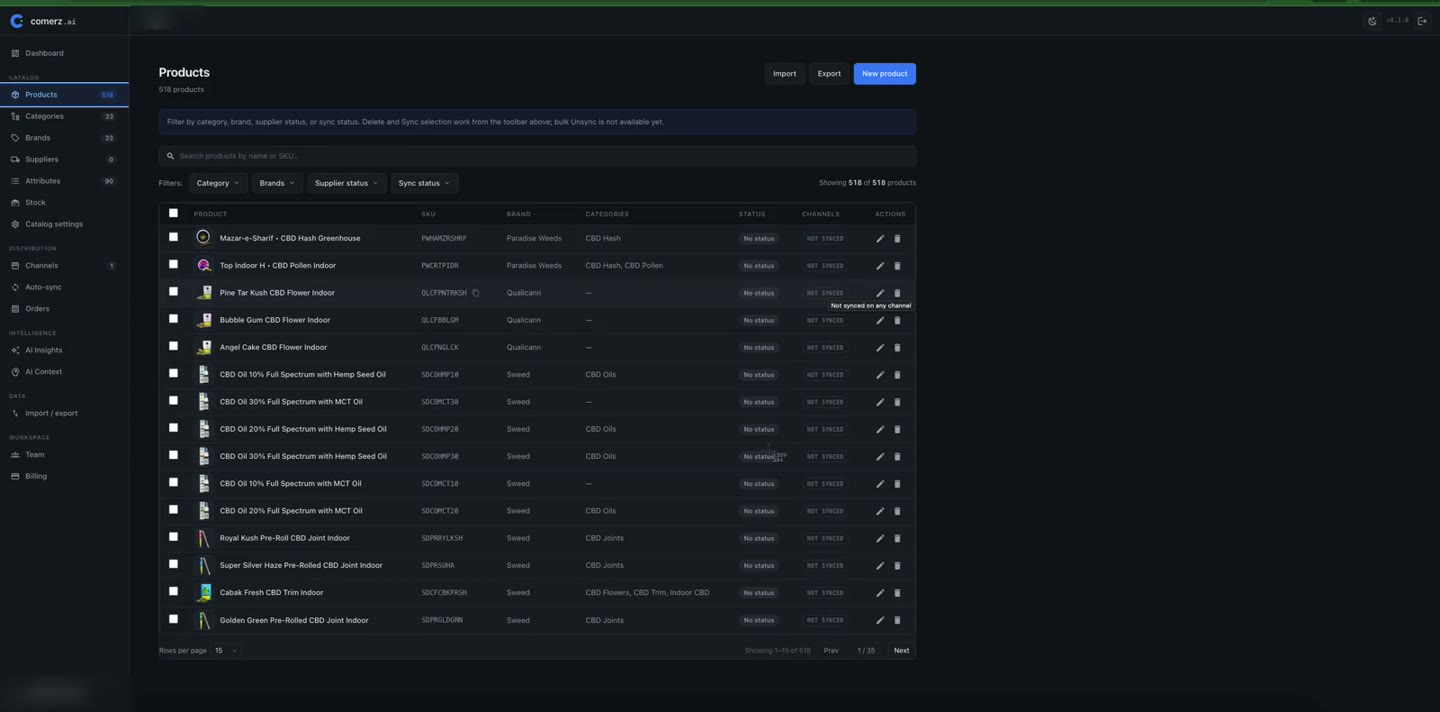
A product description changes in one shop. An attribute stays outdated in another. A spreadsheet holds a third version. Comerz.ai gives shared product information a central home, so maintaining more shops does not have to mean repeating every edit.
Keep a central product record and its variants, including the attributes that distinguish sizes, colours, weights or formats. Link connected shop records to the products they represent.
Organise products with categories, brands and attributes. Maintain structured values alongside descriptions, detail text and product media, rather than burying every fact inside a paragraph.
Maintain language-specific content around the same product information. Use AI to draft supported text fields in a target language, then review the result before applying it.
Connect Shopify or WooCommerce and map categories, attributes and brands. Your shops continue to handle sales, checkout, orders, inventory and fulfilment.
A practical workflow around the catalogue you already operate, with human review before consequential AI changes are applied.
Bring in the existing catalogue from a supported shop or a product file. During the beta, our team helps with connection, import and mapping.
Work on products, variants, structured attributes and content centrally. Use required-field completeness checks to find information that still needs attention.
Review AI suggestions before applying them. Choose the products and shop connection, then inspect the result of synchronising approved information.
Use the available workflow in the beta. The broader direction is shown separately so you can judge fit against what you need now.
No. A single catalogue with frequent changes, many variants or detailed product information can benefit. Several shops with overlapping products make the reduction in duplicated work especially valuable.
Your commerce platforms remain where products are published and sold. Comerz.ai provides the central product-information workflow, connected to those shops.
The aim is consistent shared information, with mappings for the connected shop. Discuss shop-specific content and field requirements during onboarding; a universal field-ownership and override engine is not part of the current promise.
30 days free, hands-on onboarding and real work on your own catalogue. Tell us about your shop, test meaningful improvements and share feedback with our team.
Request beta access